Usage
There are two arguments that are required in order to run VaxPress:
-i and -o, for the paths to the input file and the output
directory, respectively.
# To see a full list of available options, run vaxpress --help
vaxpress -h

# Example command to run VaxPress: Specifies the input file, output
# directory, number of iterations, and number of processes to use
vaxpress -i spike.fa -o output --iterations 1000 -p 32
Input File (-i)
VaxPress requires a FASTA format input file that contains the CDS
(CoDing Sequence) to be optimized. In case the FASTA file holds a
protein sequence, the additional --protein switch is required.
Number of Iterations (--iterations)
The --iterations option is set to 10 by default. However,
for thorough optimization, it’s recommended to use at least 500
iterations. The optimal number of iterations may differ depending
on the length, composition of the input, and the selected optimization
settings. It’s important to note that the optimization process may
stop before completing all the specified iterations if no progress
is observed over several consecutive cycles. Guidelines for setting
the appropriate number of iterations and other optimization parameters
can be found in the Tuning Optimization Parameters section.
Multi-Core Support (-p)
You can use multiple CPU cores for optimization with the -p or
--processes option. The --processes N option allows the
parallelization of calculations required for scoring functions and
secondary structure prediction in each iteration. The N denotes
the maximum number of cores that the computation can be distributed
across, thus enhancing the speed of the optimization process.
Adjusting the Fitness Scoring Scheme
VaxPress is designed to optimize synonymous codon selections, potentially improving the fitness of coding sequences for mRNA vaccines. This fitness is determined by a cumulative score of various metrics, such as the codon adaptation index and GC content. You can adjust the weight of a specific feature to emphasize or de-emphasize it.
To fine-tune the optimization process, use the --{func}-weight
option to adjust the weights of individual scoring functions. Setting
a function’s weight to 0 effectively disables it.
# Concentrate on the stable secondary structure (more weight to the MFE)
vaxpress -i spike.fa -o result-spike --mfe-weights 10

# Turn off the consideration of repeated sequences
vaxpress -i spike.fa -o result-spike --repeats-weight 0
VaxPress also allows the addition of custom scoring functions. More information on this can be found in the Adding a custom scoring function section.
For a comprehensive understanding of how VaxPress determines sequence optimality, refer to the How VaxPress Works section.
Using LinearDesign for Optimization Initialization
VaxPress also provides the --lineardesign option. This initiates
optimization using a sequence pre-refined by LinearDesign. It
allows VaxPress to start its optimization process with a sequence
that already possesses a near-optimal MFE and CAI. Further optimizations
then improve the sequences for features such as secondary structures
near the start codon, uridine count, in-cell stability, in-solution
stability, tandem repeats, and local GC content.
# Running VaxPress with LinearDesign
vaxpress -i spike.fa -o results-spike --processes 36 \
     --iterations 500 --lineardesign 1.0 \
     --lineardesign-dir /path/to/LinearDesign \
     --conservative-start 10 --initial-mutation-rate 0.01
For a detailed information, refer to the Using LinearDesign for Optimization Initialization section. The LinearDesign options section provides a comprehensive list of all options related to LinearDesign.
Output (-o)
Once you’ve run VaxPress, the specified output directory will contain the following five files:
report.html: The report provides a detailed summary of the results and the optimization process. It includes the following information:Basic sequence information on the task including the sequence name and command line.

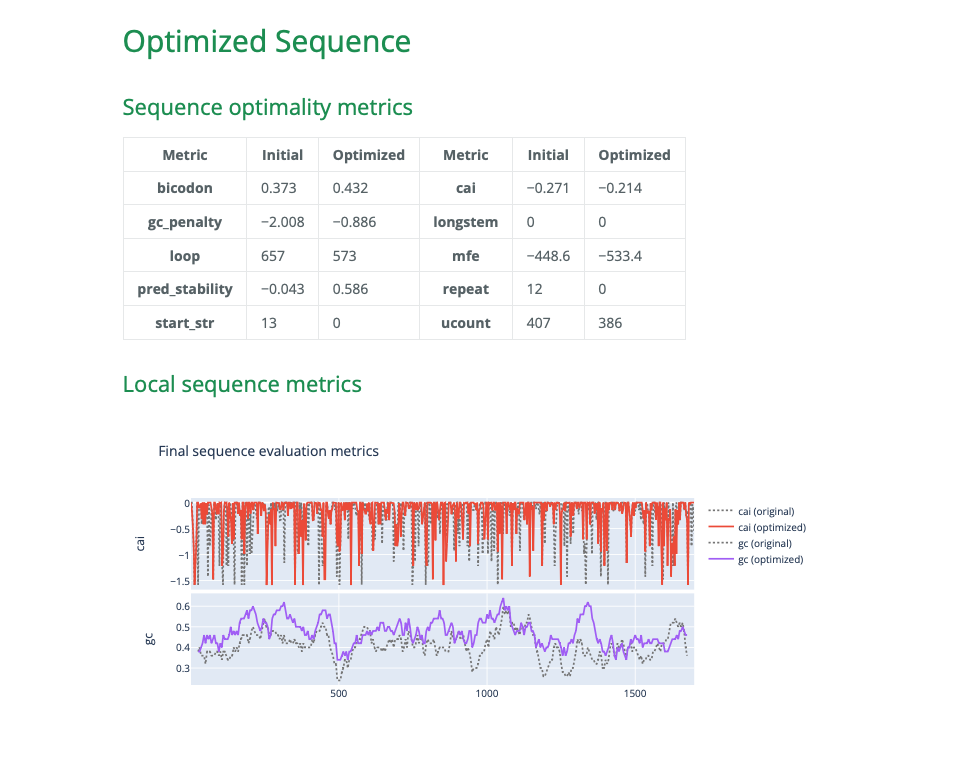
The optimized sequence information includes a comparison of the initial and optimized scores.
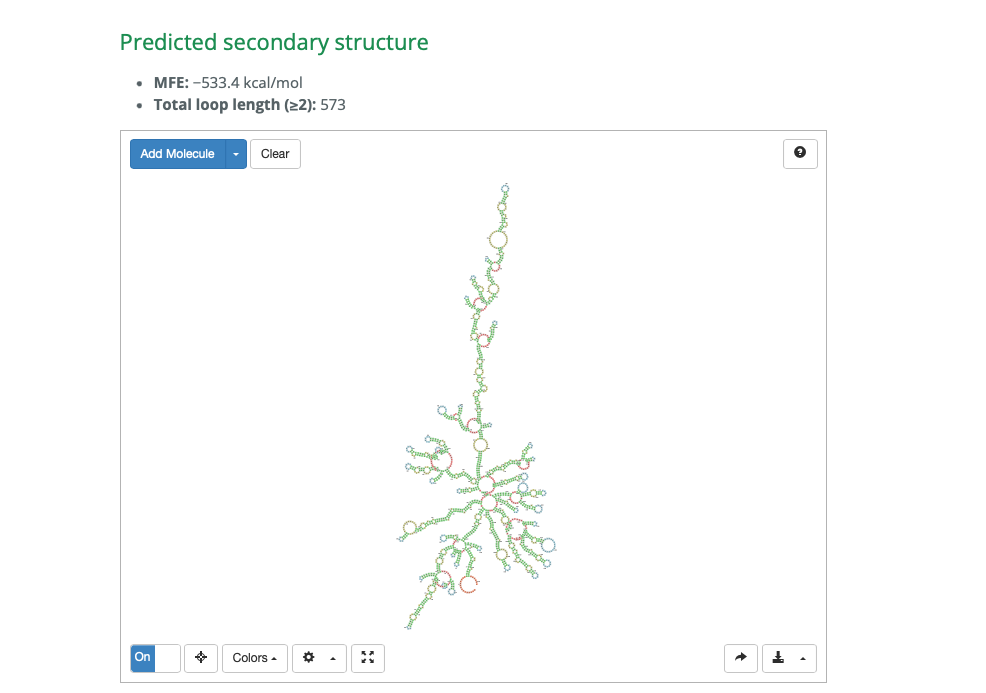
An interactive view that displays the predicted secondary structure of the output sequence.
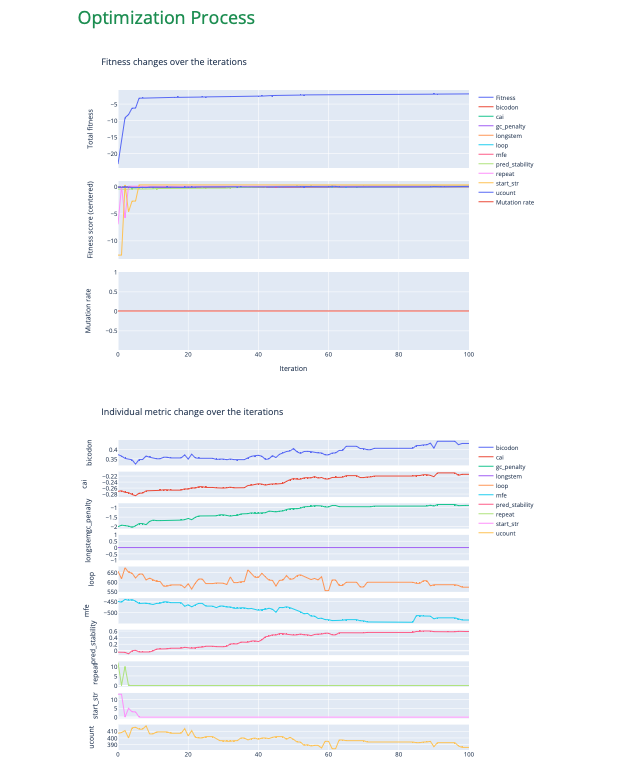
Plots illustrate the changes in metrics and parameters over the iterations.
Parameters used in the corresponding VaxPress run. This information is also stored in
parameters.json.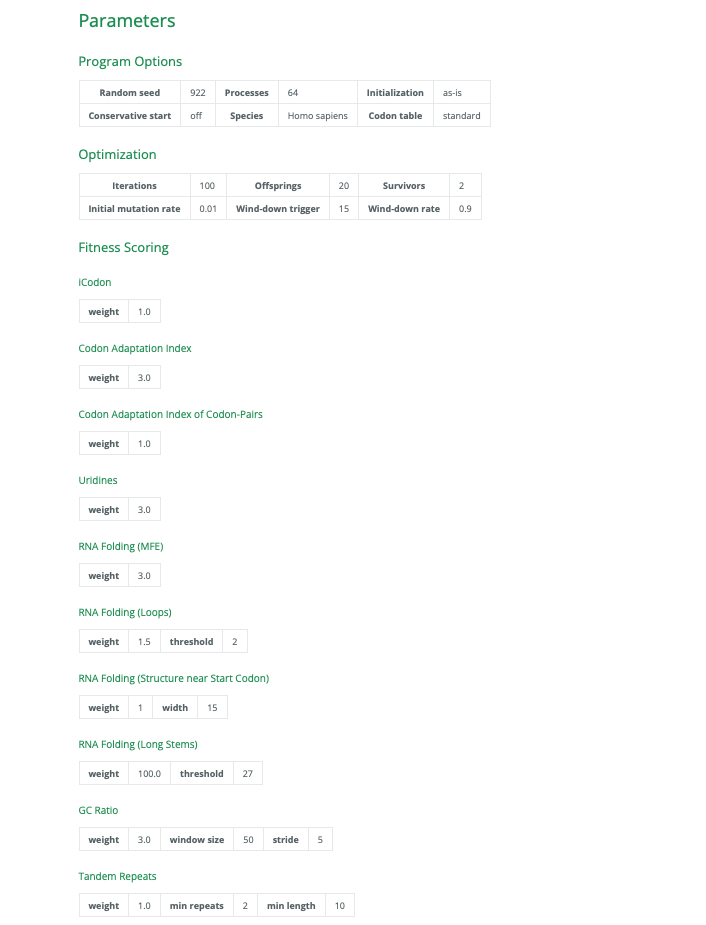
best-sequence.fasta: The refined coding sequence.checkpoints.tsv: The best sequences and its evaluation results at each iteration.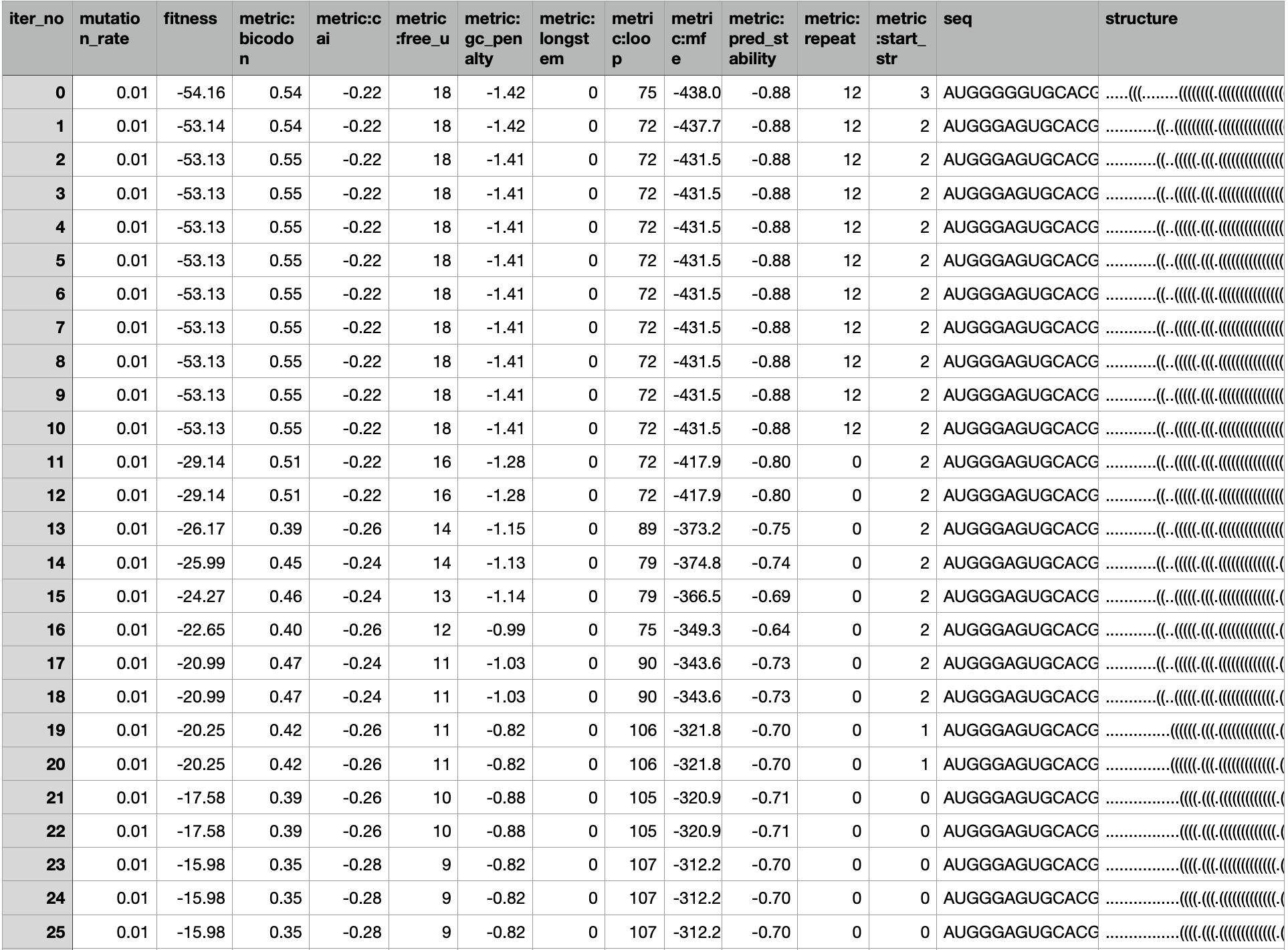
log.txt: Contains the logs that were displayed in the console.parameters.json: Holds the optimization parameters along with the other command line options. This file can be used with the--presetoption in VaxPress to replicate the optimization setup for other sequences. For detailed information on using--preset, refer to Execution Options.